Create an Agent Memory service
Create an Agent Memory service in Redis Cloud to store working and long-term memory for AI agents.
| Redis Cloud |
|---|
Redis Agent Memory provides a persistent, structured memory layer that AI agents can use to store, retrieve, and manage contextual data across interactions. This guide walks you through creating and configuring an Agent Memory service in Redis Cloud.
Prerequisites and limitations
To create a Redis Agent Memory service, you will need a Redis Cloud database. If you don't have one, see Create a database.
Agent Memory does not support the following databases during public preview:
- Redis Flex databases
- Databases using AWS PrivateLink connectivity
- Active-Active databases
- Databases with the default user turned off
Create an Agent Memory service
From the Redis Cloud console, select Agent Memory from the left-hand menu.
If you have not already created an Agent Memory service, you'll see a page with an introduction to Agent Memory. Otherwise, select New service to go to the Agent Memory introduction page.

From here:
-
Select Quick create to create an Agent Memory service with default settings using your Free 30MB database. If you haven't created a Free database yet, Redis Cloud will create one and set up the Agent Memory service for you.

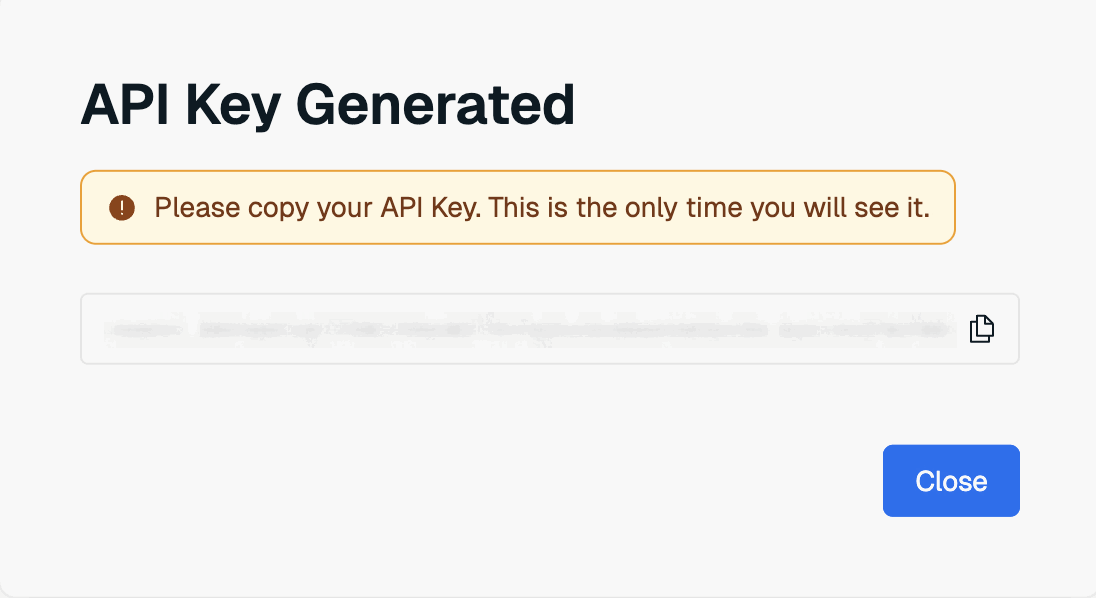
After Redis Cloud creates your Agent Memory service, a window containing your Agent Memory service key will appear. Select Copy to copy the key to your clipboard.
 Warning:
This is the only time the value of the user key is available. Save it to a secure location before closing the dialog box.
If you lose the service key value, you will need to generate a new service key to be able to use the Agent Memory API.
After Redis Cloud creates your service, continue with the REST quickstart.
-
If you want to customize your Agent Memory service, select Create custom.

This takes you to the Create Agent Memory Service page. This page is divided into the following sections:
- The General settings section defines basic properties of your service.
- The Memory configuration section allows you to define the time-to-live (TTL) of your agent's memories, set how often memories are extracted, and control automatic summarization of session memory.
- The Memory types & extraction section allows you to define custom memory types with their own extraction strategies.
General settings
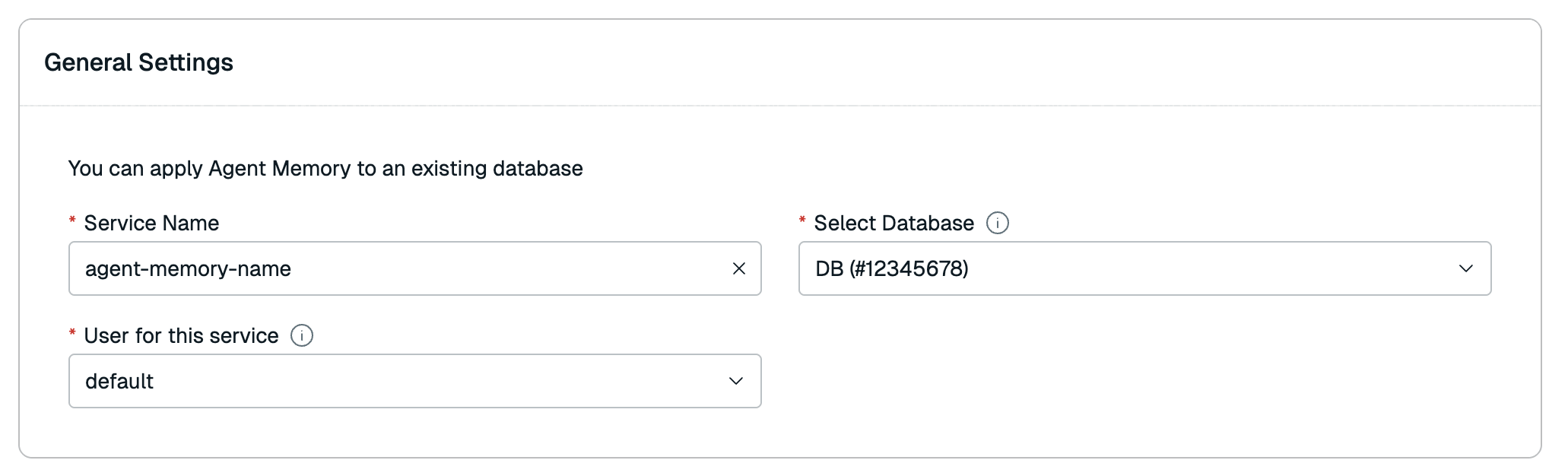
The General settings section defines basic properties of your service.
| Setting name | Description |
|---|---|
| Service name | Enter a name for your Agent Memory service. We recommend you use a name that describes your service's purpose. |
| Select database | Select the Redis Cloud database to use for this service from the list. |
| User for this service | The database access user to use for this service. Agent Memory only supports the default user during public preview. |
Memory configuration
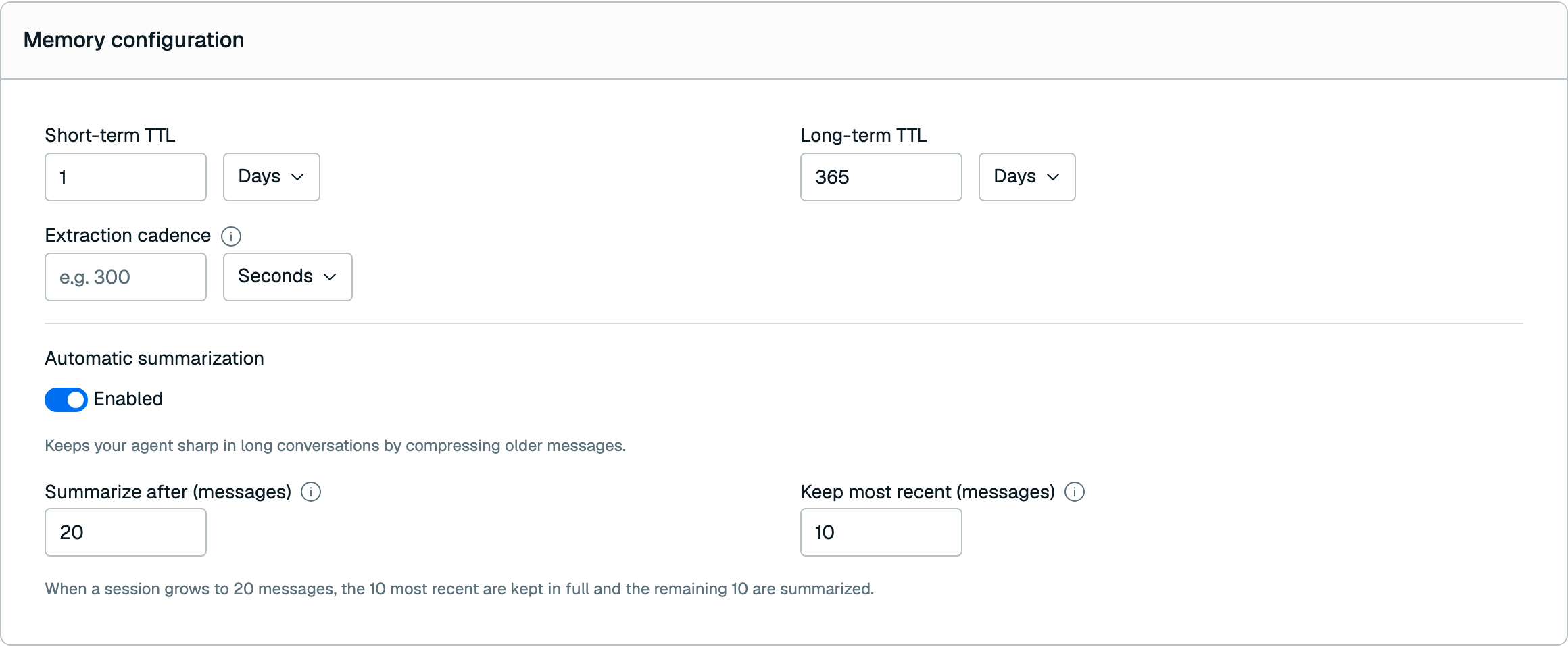
The Memory configuration section allows you to define the time-to-live (TTL) of your agent's memories, set how often memories are extracted, and control automatic summarization of session memory.
| Setting name | Description |
|---|---|
| Short-term TTL | Defines the time-to-live (TTL) of your agent's short-term memory (also known as session memory). You can define this TTL in seconds, minutes, hours, or days. Default: 1 hour |
| Long-term TTL | Defines the time-to-live (TTL) of your agent's long-term memory. You can define this TTL in seconds, minutes, hours, or days. Default: 365 days |
| Extraction cadence | How often the extraction pipeline runs while a session is active. Leave this blank to use the default of 5 minutes, or set a value between 60 and 600 seconds to override it. |
Automatic summarization
Automatic summarization keeps your agent sharp during long conversations by compressing older messages in a session into a summary, while keeping the most recent messages in full. This helps control the size of session memory without losing important context.
Use the Automatic summarization toggle to enable or disable this behavior. When it is enabled, you can configure the following settings:
| Setting name | Description |
|---|---|
| Summarize after (messages) | The number of messages a session can hold before older messages are summarized. When a session exceeds this threshold, the oldest messages beyond the Keep most recent count are compressed into a summary. |
| Keep most recent (messages) | The number of most recent messages that are always kept in full and never summarized. |
For example, with Summarize after set to 20 and Keep most recent set to 10, once a session reaches 20 messages, the oldest 10 messages are summarized automatically and the 10 most recent are kept in full.
Memory types & extraction
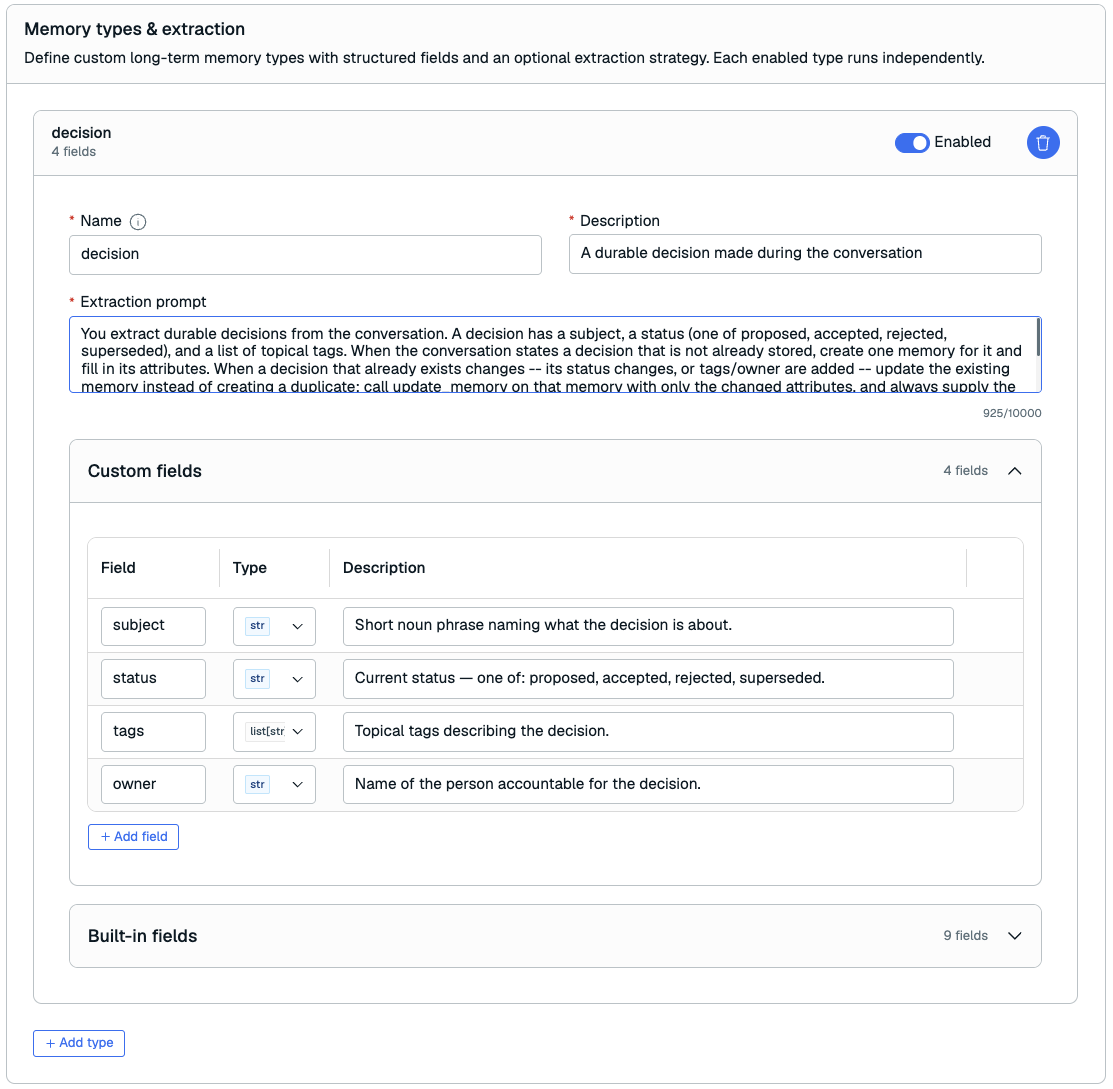
The Memory types & extraction section allows you to define custom long-term memory types with structured fields and an optional extraction strategy. Each enabled type runs independently.
Custom memory types
In addition to the built-in memory types, you can define custom memory types to capture structured, domain-specific information from your agent's conversations. Each custom type describes a category of information you want to extract, the fields that make up that information, and an optional extraction strategy that tells the extraction pipeline how to populate it.
You can define up to 3 custom memory types. Once you reach this limit, the Add type button is disabled.
To add a custom memory type, select Add type and configure the following settings:
| Setting name | Description |
|---|---|
| Name | A unique name for the custom memory type. Must start with a letter and contain only letters, numbers, hyphens, or underscores (1–64 characters). The name must be unique within the service and cannot match a built-in memory type (semantic, episodic, message, or session_summary_view). |
| Description | A short description of what the memory type represents (1–200 characters). |
| Fields | The structured fields that make up the memory type. See Fields below. |
Fields
Each custom memory type can have one or more fields that define its structured attributes. For each field, configure the following:
| Setting name | Description |
|---|---|
| Name | The field name. Follows the same rules as the memory type name: must start with a letter and contain only letters, numbers, hyphens, or underscores. |
| Type | The field's data type. Choose from str, int, float, bool, list[str], list[float], or object. |
| Description | A description of the field (1–200 characters). This description is used to guide extraction, so make it clear and specific. |
Extraction strategy
Each custom memory type can have an extraction strategy that controls how the extraction pipeline populates it from session messages.
| Setting name | Description |
|---|---|
| Extraction prompt | A natural-language prompt (up to 10,000 characters) that instructs the extraction pipeline how to identify and extract this memory type from a conversation. |
| Enabled | Whether the extraction strategy is active. Enabled by default. Disable it to keep the type defined without extracting new memories for it. |
Create service
When you are done setting the details of your Agent Memory service, select Create to create it.

A window containing your Agent Memory service key will appear. Select Copy to copy the key to your clipboard.
This is the only time the value of the user key is available. Save it to a secure location before closing the dialog box.
If you lose the service key value, you will need to generate a new service key to be able to use the Agent Memory API.
If an error occurs, verify that your database is active. For help, contact support.
Next steps
After Redis Cloud creates your service, continue with the REST quickstart.
You can also view and edit the service.